

Summary
Three things changed with connectors.
Delivery is a handoff, not a download. A finished model goes straight into the platform your team already uses. No export, no zip, no email.
The model stays current. When we revise a model, the connected copy updates with it. Nobody hunts for the newest version in a shared drive.
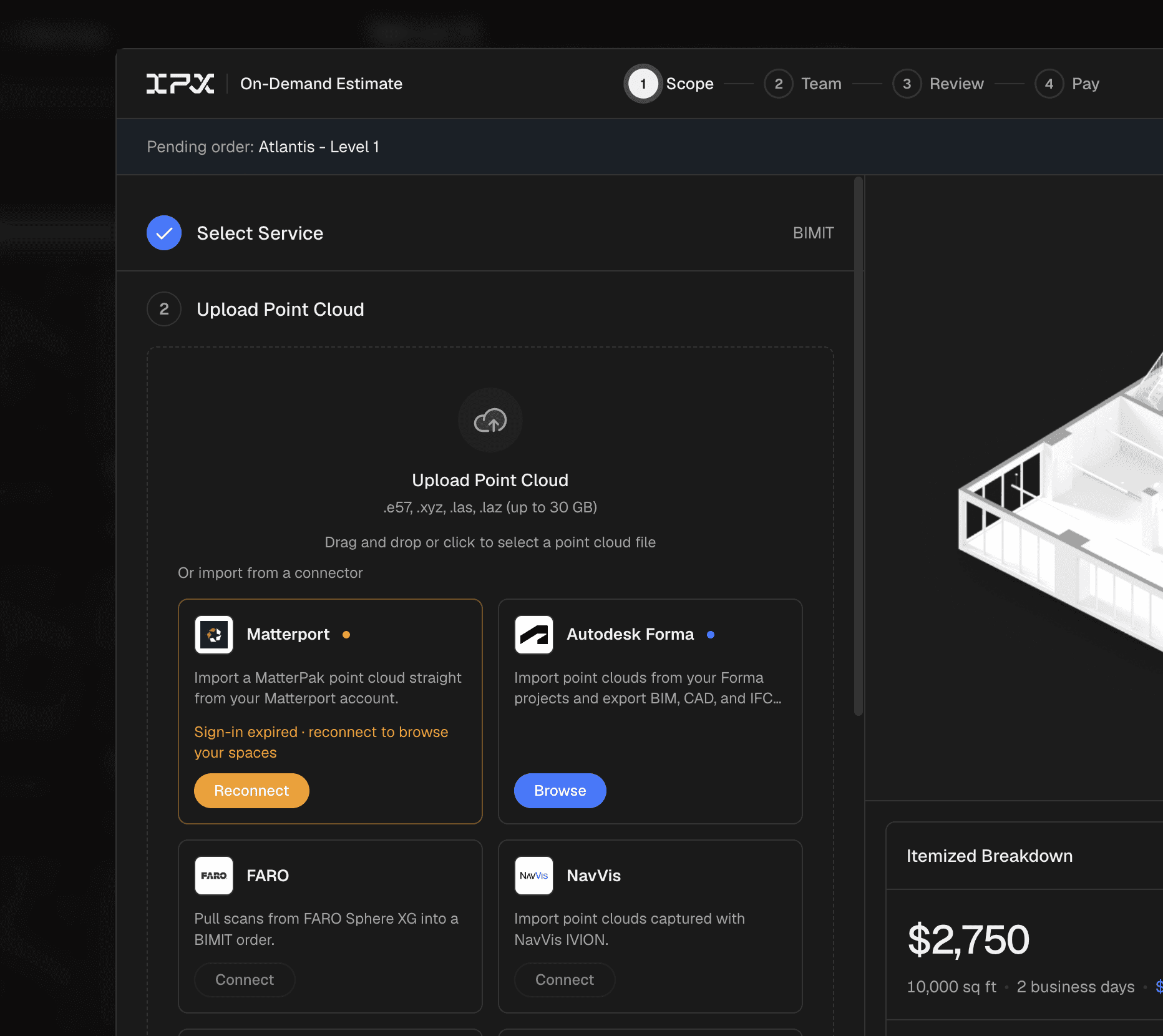
Matterport is live today. FARO Sphere XG lands in October. NavVis, Cintoo, PREVU3D and Autodesk Forma come after, in the order our customers keep their scans.
In short: we stop handing you a file and start delivering into the place you already open every morning.
The zip file problem
For context, this is how the last mile of a project has looked for most of our history. We finish a model, package it and send it. Someone on your side downloads it, unzips it, opens it in Revit or Navisworks and uploads it again to wherever the team looks at building data.
We did this wrong once. Our first Matterport integration delivered a zip file, and that was it. Anyone who was not a modeler had no way to open the model, explore it or review it. It took us a year to see real orders come through that connection, and we learned from it.
The handoff is where good work goes quiet. The model is accurate the day it ships. Two weeks later there are three copies of it: one in the email, one on a desktop, one in the project folder. Which one is current? Who has the latest revision? Did the field team get the same file the office got? We have watched customers pay for precision and then lose it in file management.
If nobody can find the model, what was the point of building it?
Connectors is the fix. It is not flashy, and that is on purpose. Instead of handing you a file, we deliver into the system you already work in.
How connectors work
You authorize the connection once, from the integrations page in IPX. From then on, every finished deliverable on that account has a destination. Four steps:
Authorize. Connect the destination platform from your IPX account settings. One time, per organization.
Map. Choose which project goes to which folder or site on the other side. The defaults follow the location structure you already have in IPX.
Deliver. When a model clears review, it shows up in both places. The IPX record stays the single source of truth.
Revise. Revisions after delivery carry over. Version history stays intact on both ends.
What it does not do
Being clear about the edges saves everyone a support ticket. Two things:
It is not a viewer. Connectors moves and syncs deliverables. Reviewing, marking up and comparing models still happen where they happen today.
It does not change where your data lives. Processing and storage stay exactly where they are. If you need your data to stay in the EU, that is a separate conversation and we are happy to have it.
What it looks like in the platform
The connection lives on the integrations page. Once it is on, the delivery status on each project shows both destinations, so it is visually clear where the model went.

Who this is for
If you are | What changes |
|---|---|
A BIM manager running renovations across a portfolio | The current model is wherever your team already looks. No digging through old emails for the right version. |
A project manager coordinating trades | One link to send. Field and office see the same model on the same day. |
A scanning partner delivering on our network | Your scans turn into a deliverable your client can see, with no manual upload on your side. |
An enterprise account with a platform standard | You keep your standard. We deliver into it. |
What’s next
Two things we are working on, so it is clear where this is heading.
Larger transfers. Server to server transfer is capped at [X] GB today. Not perfect, meaning a good share of real projects arrive heavier than that. Raising that ceiling is the constraint we are working through right now.
More destinations. NavVis, Cintoo, PREVU3D and Autodesk Forma are next, in the order customers already store their scans. If your platform is not on that list, tell us and it moves up.
The underlying releases
This article covers what changed for your team. The individual releases behind it (the API, sync behavior, error handling) are listed one by one in the IPX changelog.
See it on your own project
Bring a building you have already scanned. We will connect it and walk you through the handoff end to end. And if your questions are not about connectors, send them anyway. I am a click away.
Written by

